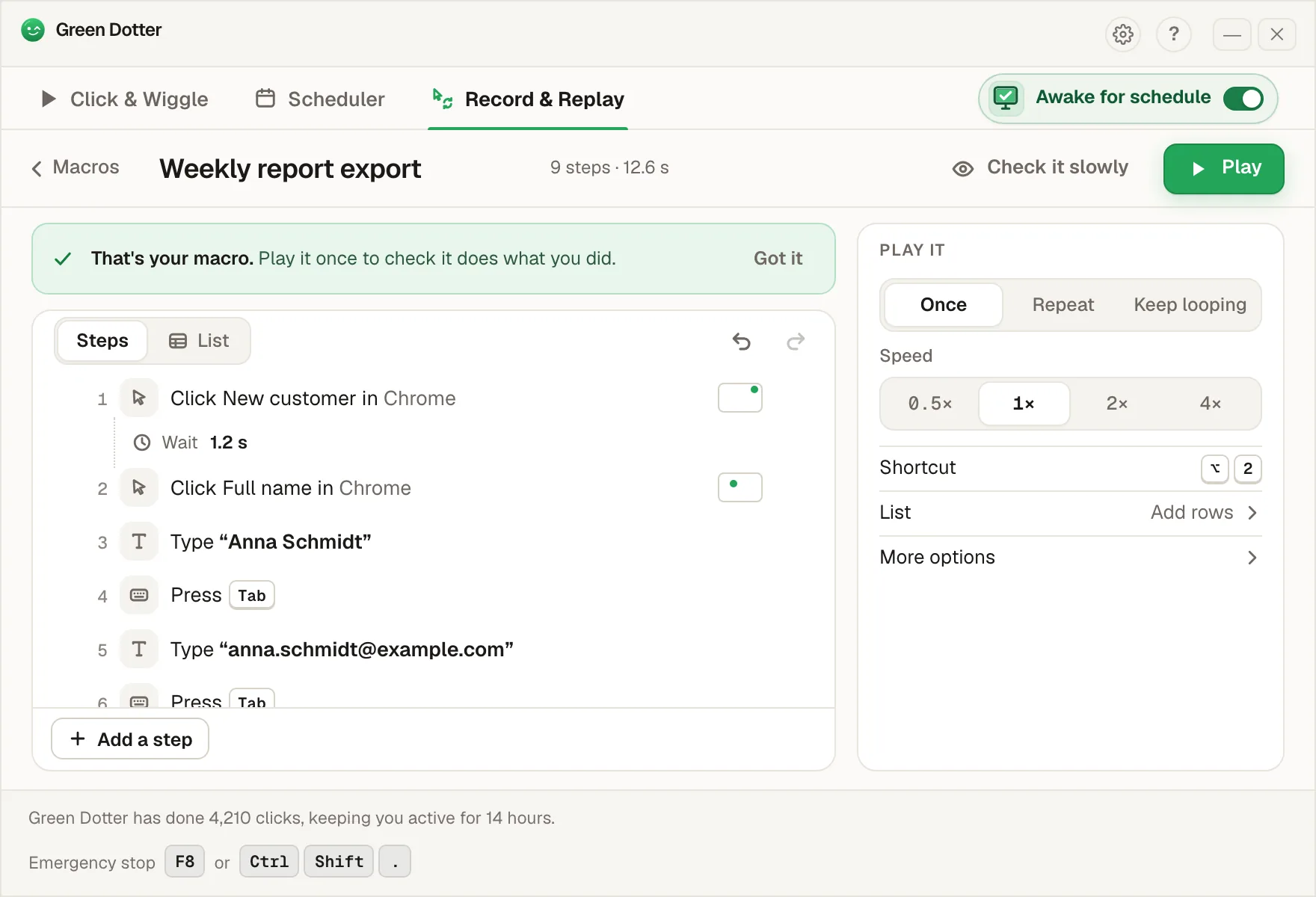
Green Dotter records a macro on a Mac and plays it back, once or on a loop. Every recording turns into a list of steps you can read and fix. Intel and Apple Silicon, macOS 11 or later.

Or press F9 from any app. The window tucks itself away and a small red Recording bar shows up.
Click, type and scroll as you normally would. Each thing you do becomes a step. Press F8 when you're done.
Or give it a shortcut, like ⌥1. Play it once, a set number of times, or on a loop.
The first time you record, macOS asks you to turn on two things for Green Dotter in System Settings, under Privacy & Security.
To switch them on, open System Settings, go to Privacy & Security, then Accessibility, and turn on Green Dotter. Do the same under Input Monitoring. Green Dotter takes you to the right page when it asks. macOS sometimes only notices once Green Dotter restarts, and there's a button for that. It takes a few seconds and your macros stay put.
If you add a step that waits for the screen to change, macOS asks for Screen Recording as well. It only looks at the part you pick, while that step waits. Nothing else needs it.
Password fields are never recorded on a Mac. Your macros are saved on your Mac and never uploaded. More on the Accessibility permission.
You've got more choice than the search results suggest, and some of it's good.
Automator has a Watch Me Do recorder built into macOS, and it's still there in macOS 26 Tahoe. It can handle a short, simple job. Plenty of people say it times out or doesn't click where it should, though, so test it on something harmless first.
Keyboard Maestro is a full automation suite. It was $36 when we looked in November 2026. If you want triggers and conditions, it's the better tool.
The App Store has a handful of simple recorders. They vary a lot, so check the reviews for the things you care about, like whether you can change the stop key.
Green Dotter sits in between. Simple to start, but you can read and fix what it recorded, and the auto clicker for Mac and mouse jiggler come with it. The full rundown is on the macro recorder page. Coming from Windows? See TinyTask for Mac.