Downloading now — one quick thing 👋
Windows might show you a warning when you run the installer. Here's what to do:
-
1
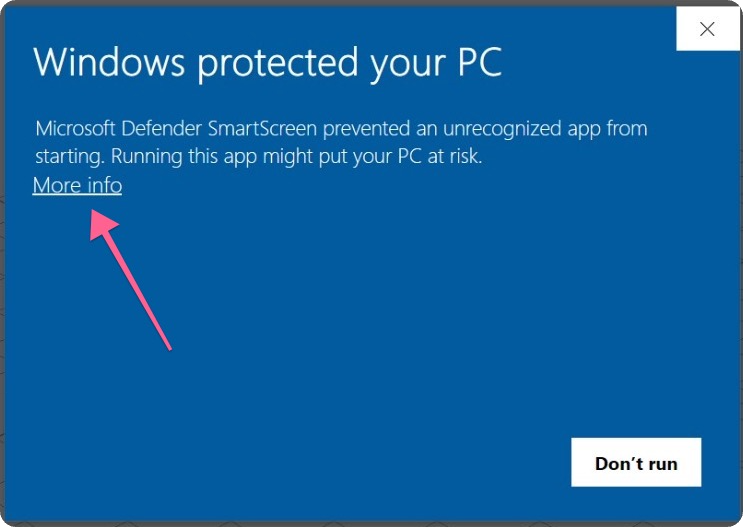
A blue box appears saying “Windows protected your PC” — this is normal.
-
2
Click “More info” in that box.
-
3
Click “Run anyway” — you're in.
This warning shows because the app isn't signed by Microsoft yet, and Windows doesn't trust it because it's still pretty new. It should disappear over time as more people install it.